"The first BOT" is designed for first-time users of Cloud BOT to experience its automatic operation. This BOT automatically registers customer data to the customer management system. Follow the guidance on this page to experience the BOT.
BOT Overview
This BOT automatically logs into the customer management system, registers one new customer information and obtains the issued customer ID.
*The customer management system accessed by this BOT is for demonstration purposes only. Please be assured that the data you have entered will not be saved.
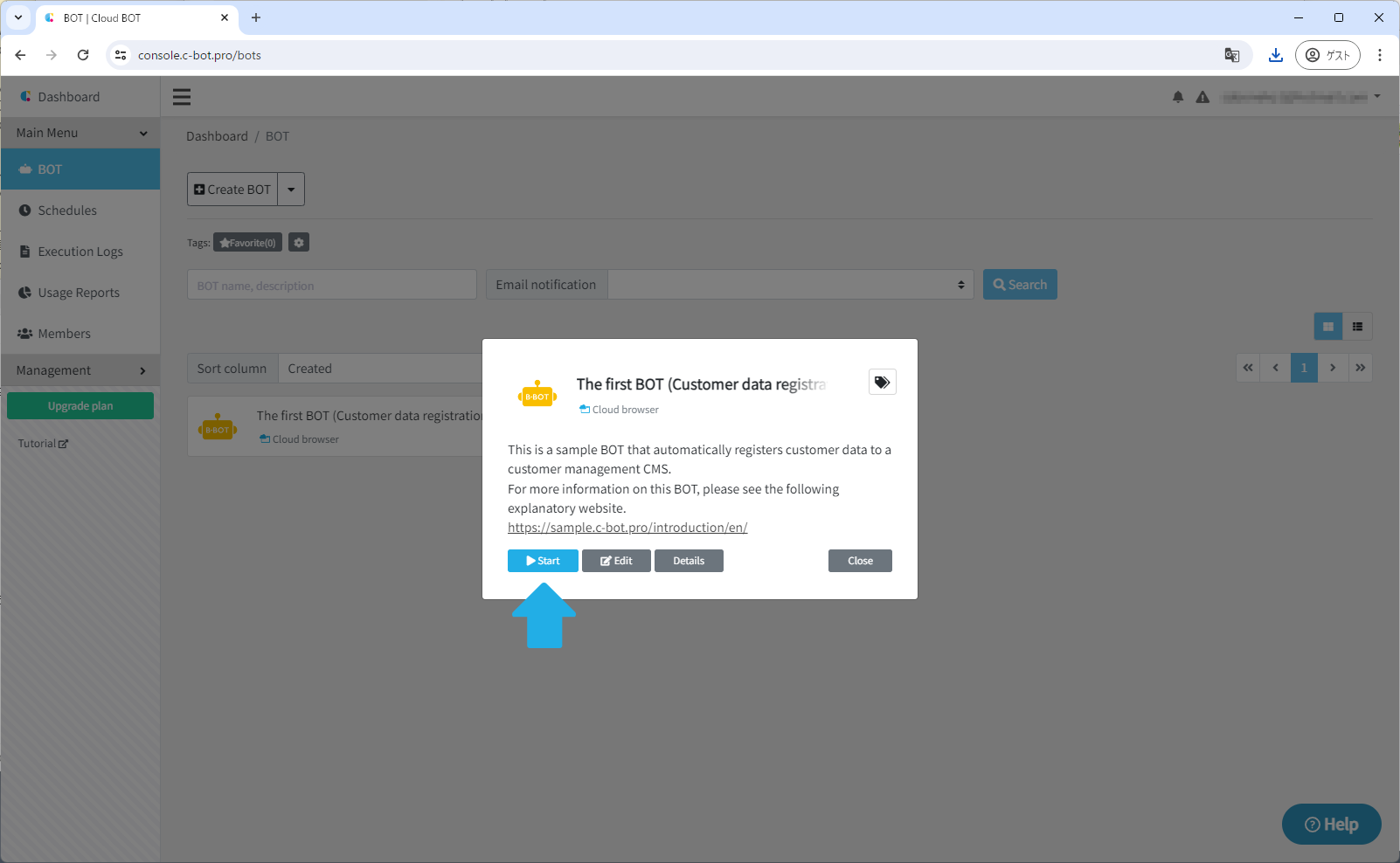
(1) Click "The first BOT (Customer data registration demo)" and click the "Start" button.
If you do not see "The first BOT (Customer data registration demo)" on your dashboard, please refer to this.
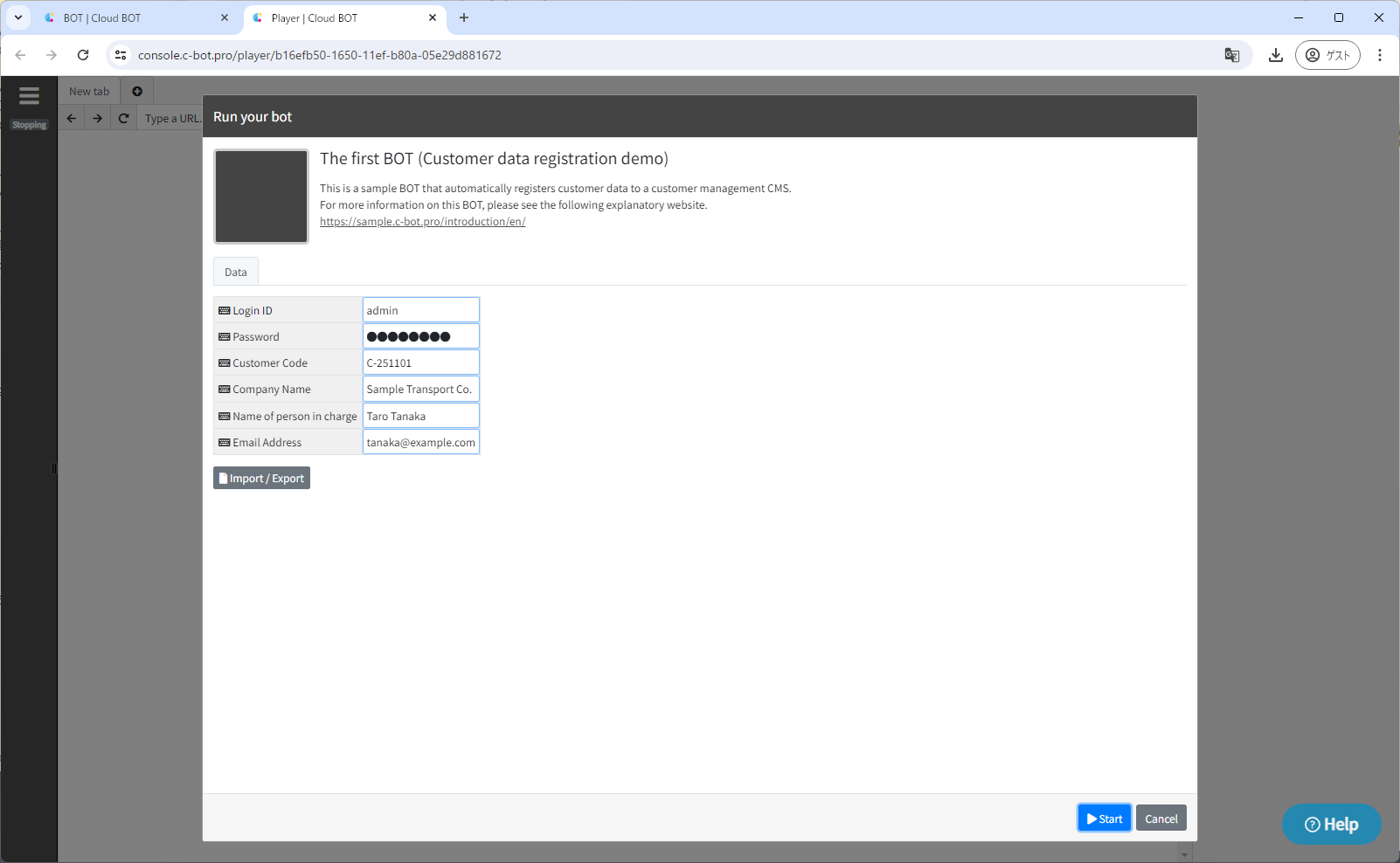
(2) A new window will open. Click the "Start" button in the lower right corner. The BOT is running, so please wait until it finishes.
Cloud BOT allows you to visually follow the steps being performed.
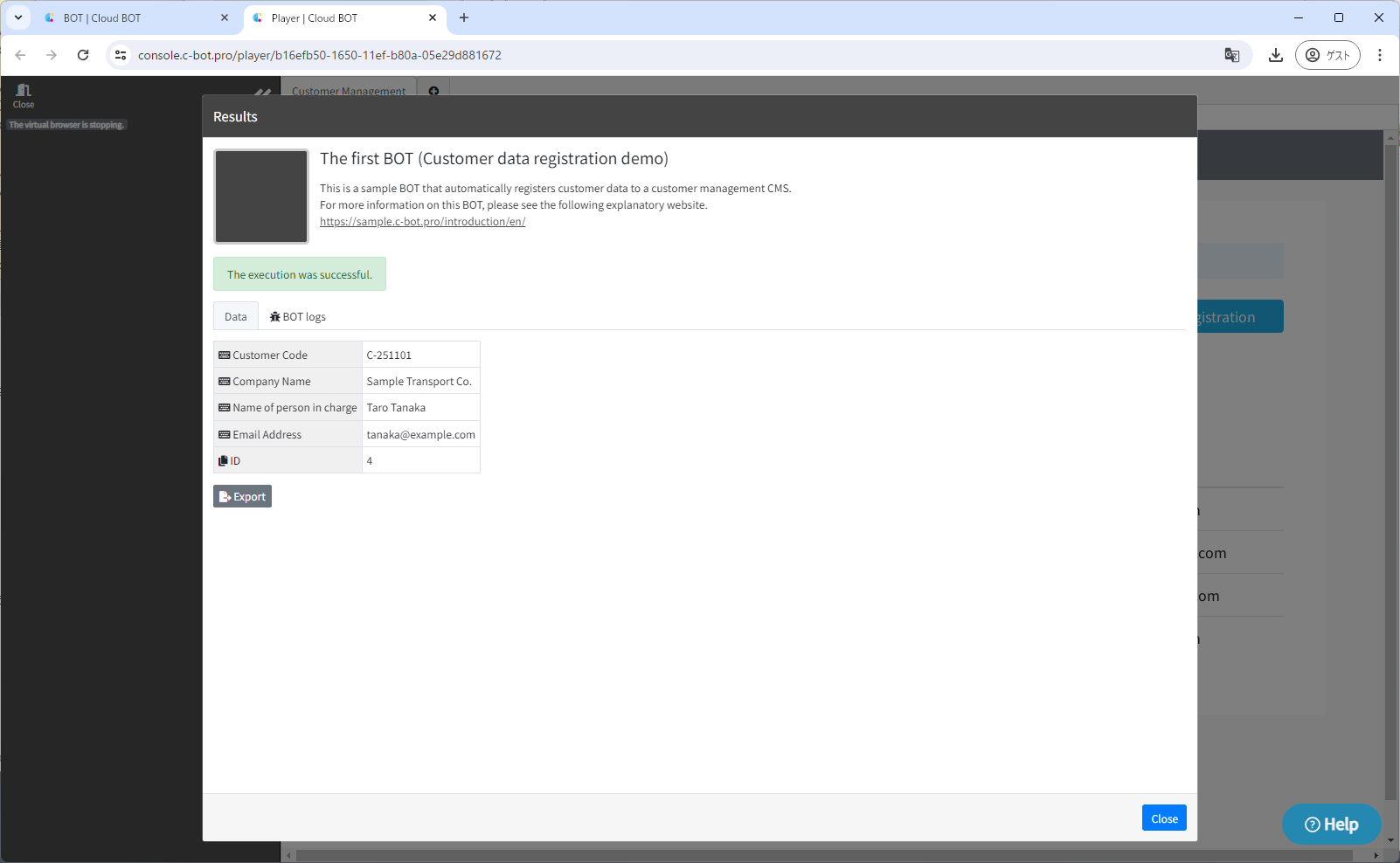
(3) "Execution Result" is displayed and the issued customer ID can be confirmed.
When a series of steps is completed, a status such as "The execution was successful" or "Interrupted due to an error" will be displayed.
(4) Click the "Close" button to return to the dashboard.
Check execution log
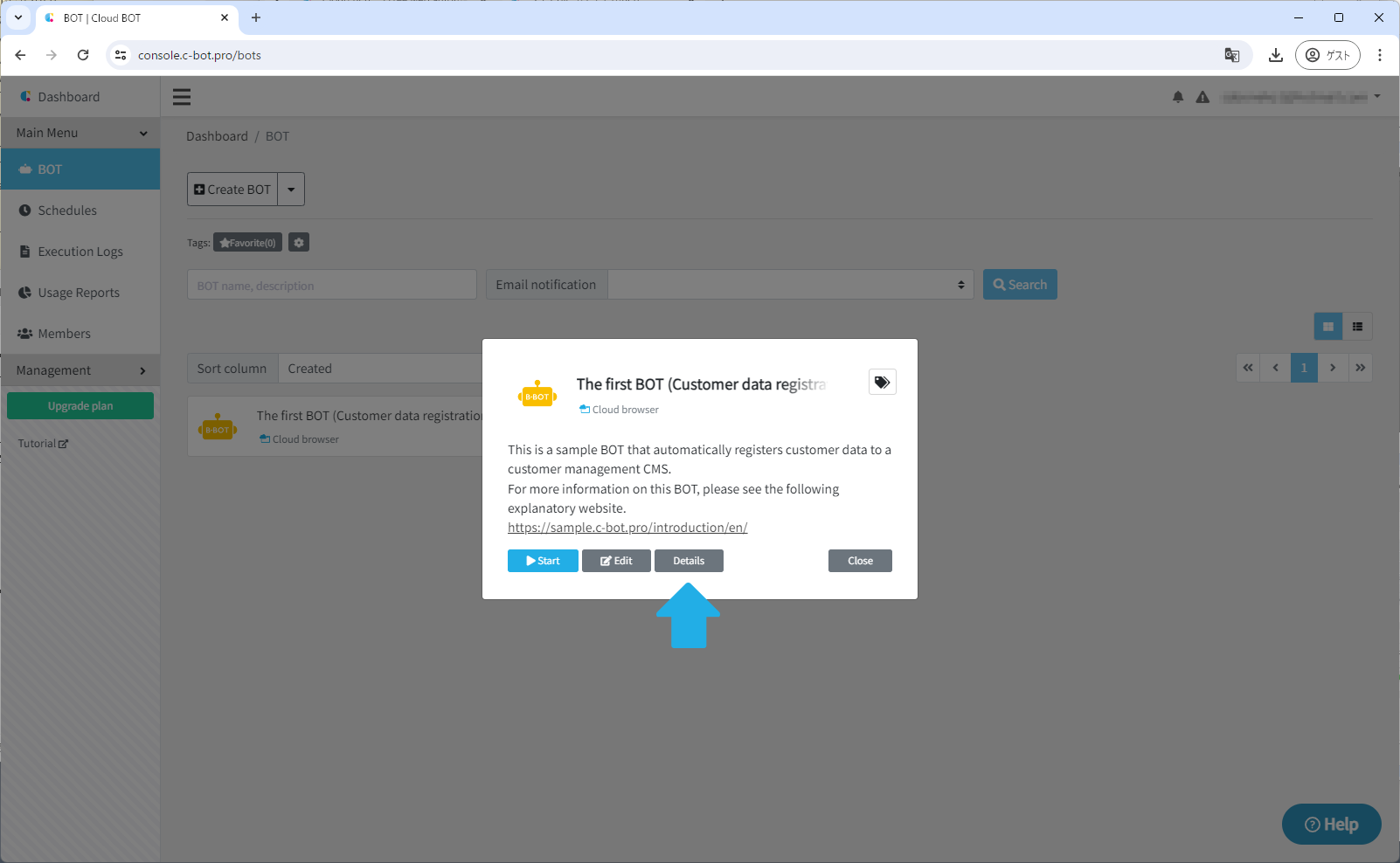
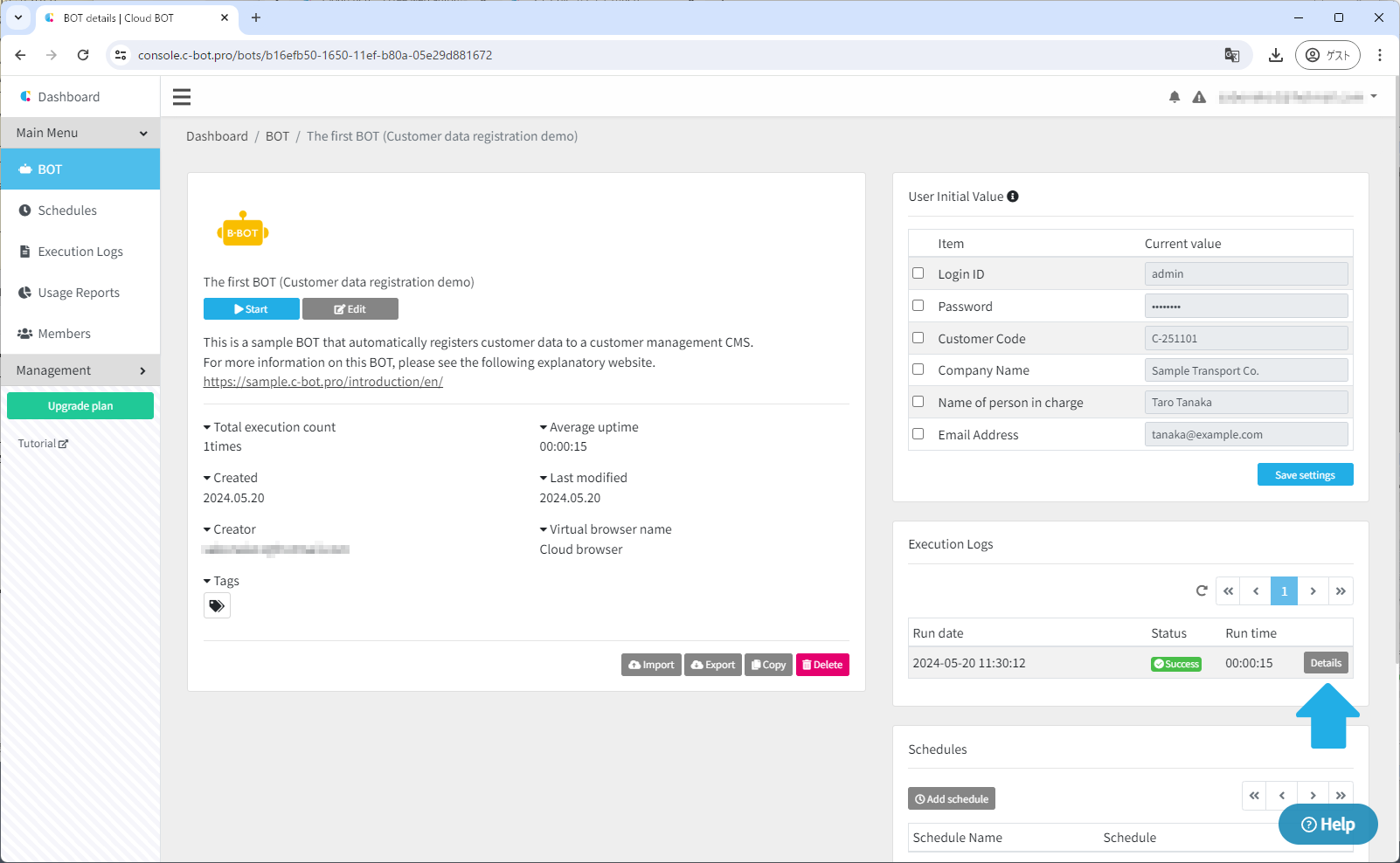
(1) Click the "Details" button.
If the details button is not displayed, click on "The first BOT (Customer data registration demo)" to display it.
(2) Click the "Details" button in the "Execution Logs" section.
On this detail page, you can check the settings and detailed information about the BOT itself. For more detailed information, please visit the official documentation site.
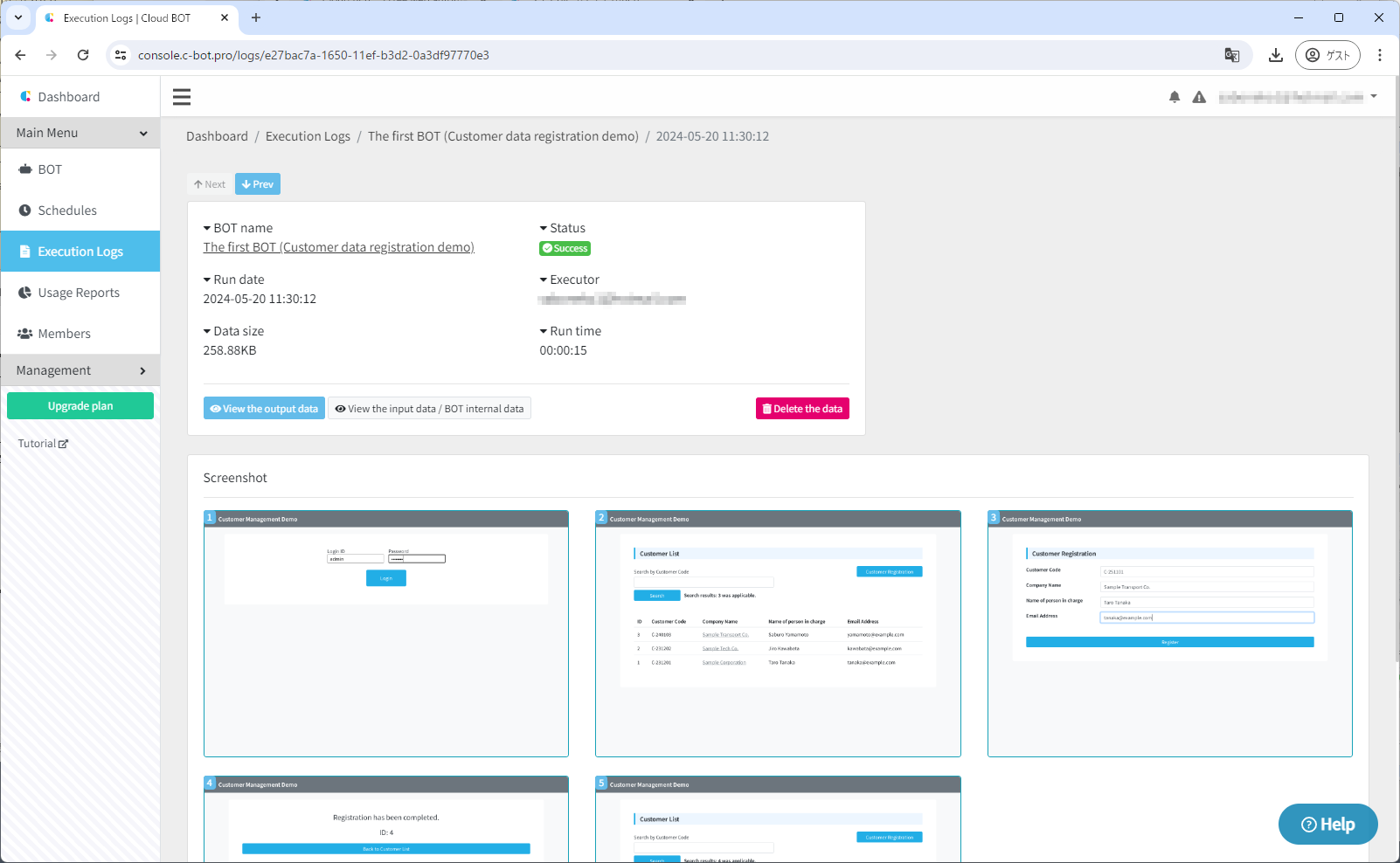
(3) Check the screenshot.
You can check the screenshots taken for each executed task. This time, you can verify the following actions. "Login" > "Click on the Customer Registration button" > "Enter information" > "Confirm input" > "Registration Complete"
Learn how to make a BOT
You can create such a BOT with no code. Let's learn how to create a BOT from scratch with our tutorial.
The "The first BOT (Customer data registration demo)" can be used by importing the BOT. For more details, please refer to this.
 The first BOT